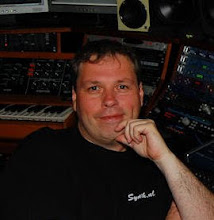
In my AtmoSphere Studio I use a lot of digital audio signals. The advantage of digital audio is that it is free of hum and noise and you can transport it over a long distance. Another advantage is that you can transport multiple channels of audio through a single and and thin wire. In the picture on the left you see one of my racks with a lot of digital equipment in it. In this post I explain what the RME ADI 648 does. I will explain the rest of the equipment in later posts. But first a bit about digital audio.
SPDIF is the most commonly known digital audio format. Basically what happens is that in stead of an analog low voltage signal, that represents the actual audio signal, the signal is digitized and send over as ones and zeros. So that is just signal or no signal. This process is called AD conversion (Analog/Digital) off course you will need a DA convertor (Digital/Analog) convertor on the other site again to make an audible signal again. I will talk more about AD/DA conversion in a future posting. SPDIF is used a lot in consumer audio products as well. Most CD or DVD players have a digital output on a Coax (tulip connector, unbalanced copper) or Toslink (fiber) connection. SPDIF is usually 44,1 or 48 Khz and transports a stereo signal over a single wire. So SPDIF is actually 2 channels on one wire. There is also a professional equivalent of SPDIF called AES/SBU that is transported usually over balanced connections with XLR connectors. In my studio I only use SPDIF since most synthesizers output this as well.
 Another digital audio format I use is ADAT. Adat is transported over Toslink fiber as well. So it looks like SPDIF, but it is definately not the same. ADAT can go up to 192 Khz and hold 8 channels of audio on 1 connection (4 x stereo). This is what I like to use over longer distances since it saves a lot of wiring. One fiber connection now in stead of 8 copper wires in my old setup! Everything in my studio runs on 48Khz like I explained before. Attached to my audio PC is the RME ADI 648 you see in the picture on the right. This is not an audio interface, but only a convertor from ADAT to MADI. And that is the third digital audio format I use in my studio. MADI holds up to 64 channels of audio on a single wire. That can be Coax with BNC connectors or Fiber on SC/PC connectors that can also used for Gigabit ethernet. The RME ADI 648 has 8 ADAT inputs and 8 ADAT outputs and these are multiplexed to MADI to go to the RME HSDP MADI interface in my audio PC.
 On the left I took the schematic I showed before and stripped everything except the digital audio signals, so you can see them a bit clearer. The box called 'MADI' represents the RME ADI 648 and you can see the yellow wire connected to the PC. Actually there are two Fiber wires with SC/PC connectors. One is for input and the other for output. There is also on virtual Midi channel transported from the HSDP MADI interface over this fiber to control the RME ADI 648 from a software control panel that is installed on my audio PC. Here you can configure which ADAT port goes to which MADI channels and also the sample rate etc. RME also installs special mixer software with level meters. I use this a lot to play live (not using Sonar to play). It is also very nice to see which synthesizer in on which channel. All in all it gives my a lot of inputs and outputs to work with in my audio PC. Everything runs very stable and I love it :) You can read more on the RME ADI 648 here: http://www.rme-audio.de/en_products_adi_648.php


 Posts
Posts